File Attachment File Types Screen
The file types allowed for uploading as file attachments within On Key Plus are configured in the Admin portal. This is not visible to general users. The File Types screen provides a read-only view of the file types that have been configured.
Only users with the View System Permissions security role permission can view this screen.
Below is a list of descriptions for the fields.
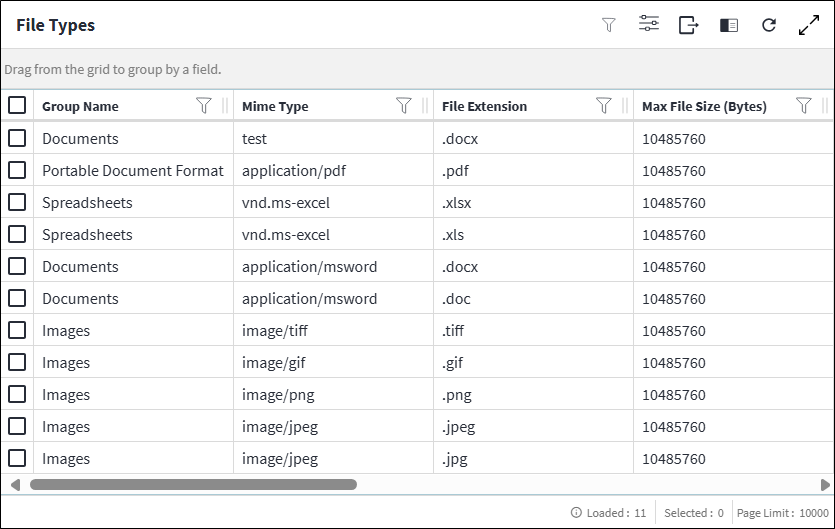
- Group Name: The group under which the file type was added in the Admin portal.
- Mime Type: The format of the file type.
- File Extension: The file extension of the file type.
- Max File Size (Bytes): The maximum allowed file size.
Assist custom actions
The following custom actions are available in the Assist panel in the sidebar. Keep in mind that some of these custom actions are only available from the edit screen, while others are available from both the dashboard and edit screen.- View System Options Changelog: Refer to View System Options Changelog for more information.